How Do I Add My Break?
Unpaid Breaks for Booked Activities
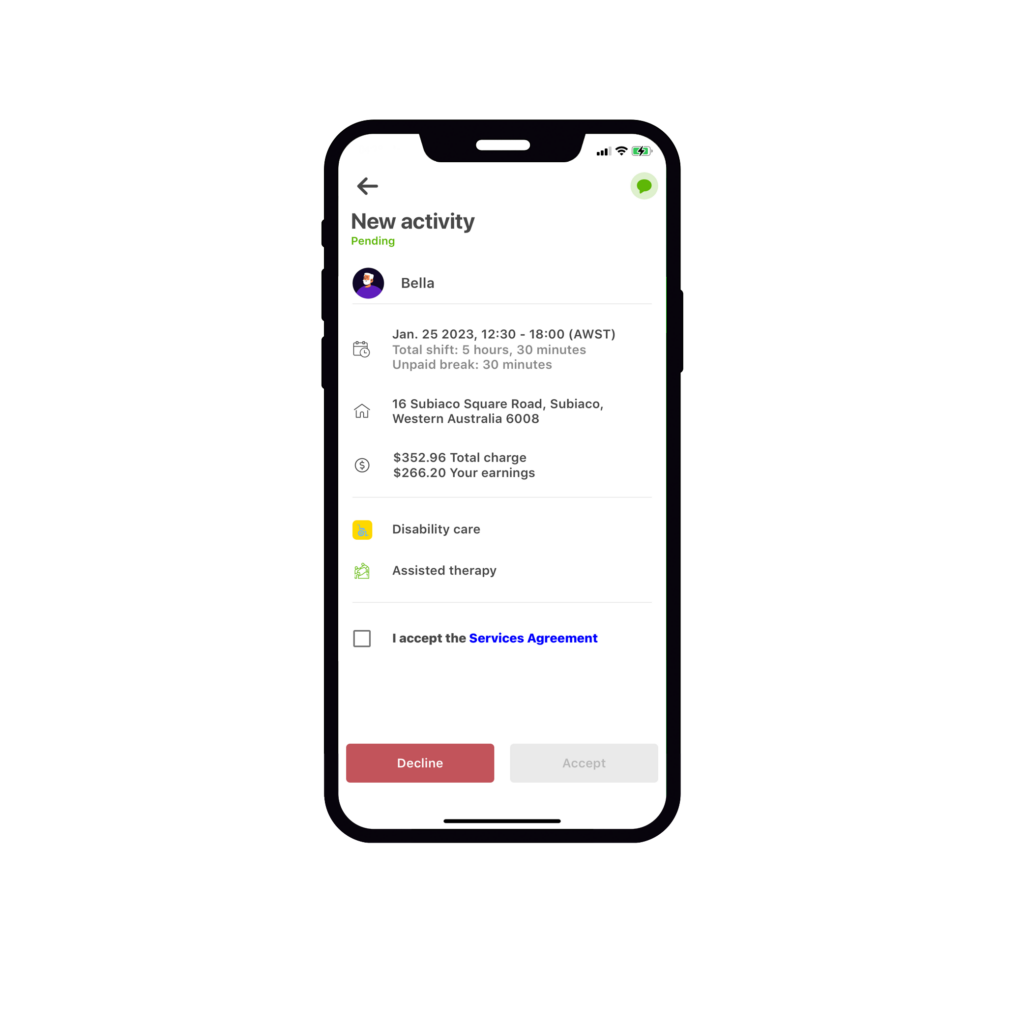
In keeping with the requirements as directed by the SCHADS award, some services may entitle you to an unpaid break. Here’s how you can view break entitlements and how to add them via the mobility app.
Where do I see my break entitlements?
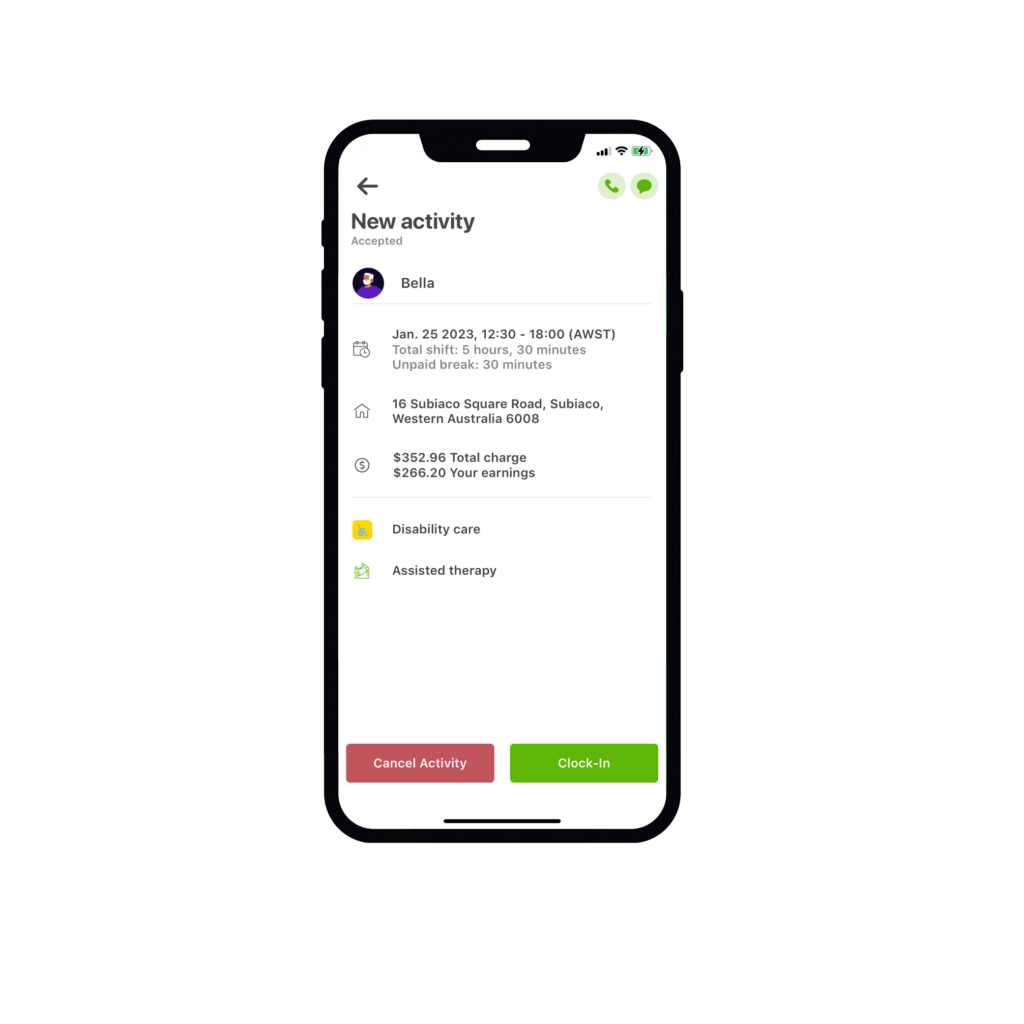
Under the service date and time of the clock-in screen, you will be able to see the total shift duration along with the duration of your unpaid break.
Note:
Should a booking require you to take an unpaid break, this will be noted in the job post.
Please ensure you read the job description carefully prior to submitting your application.
Entering your break:
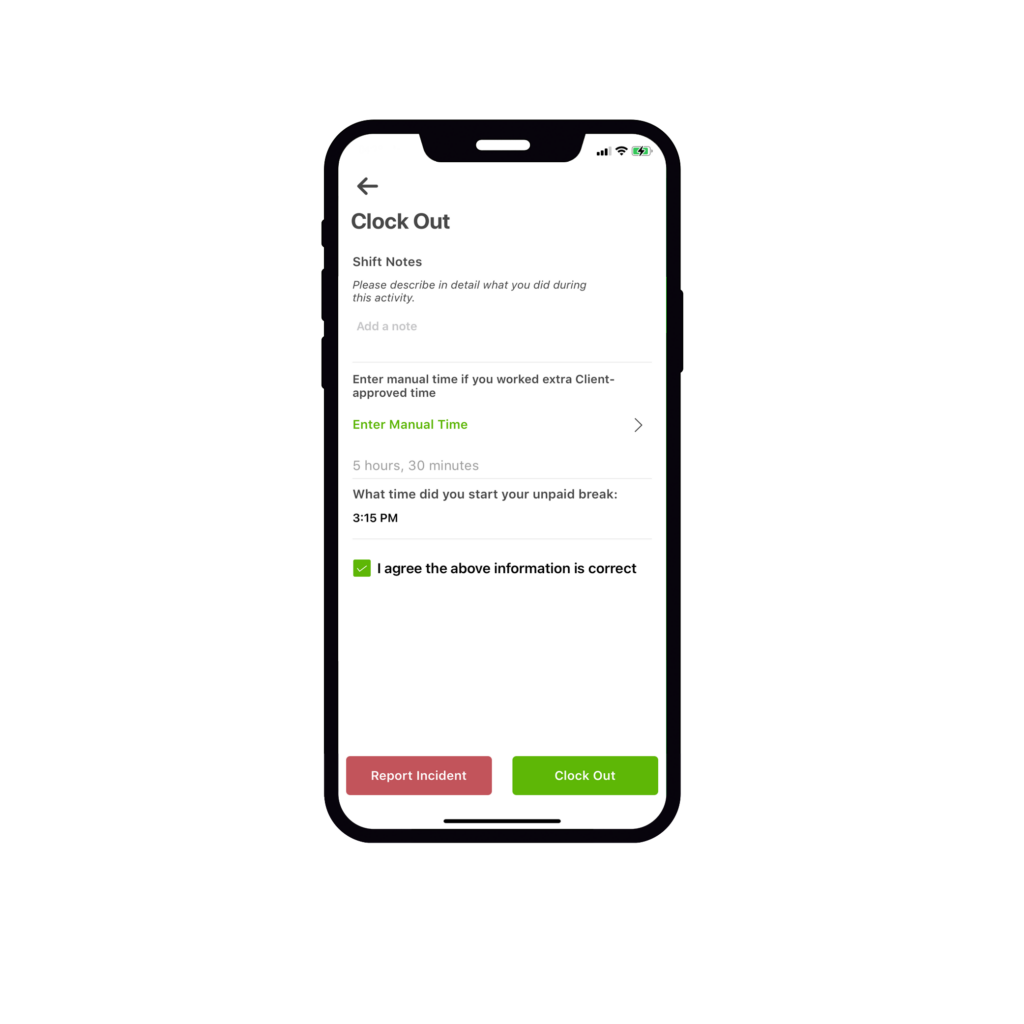
At the end of your activity on the clock-out screen, add the start time of your unpaid break.
This will automatically deduct your break from the total activity.
Select the tick box and clock out. It’s that simple.